

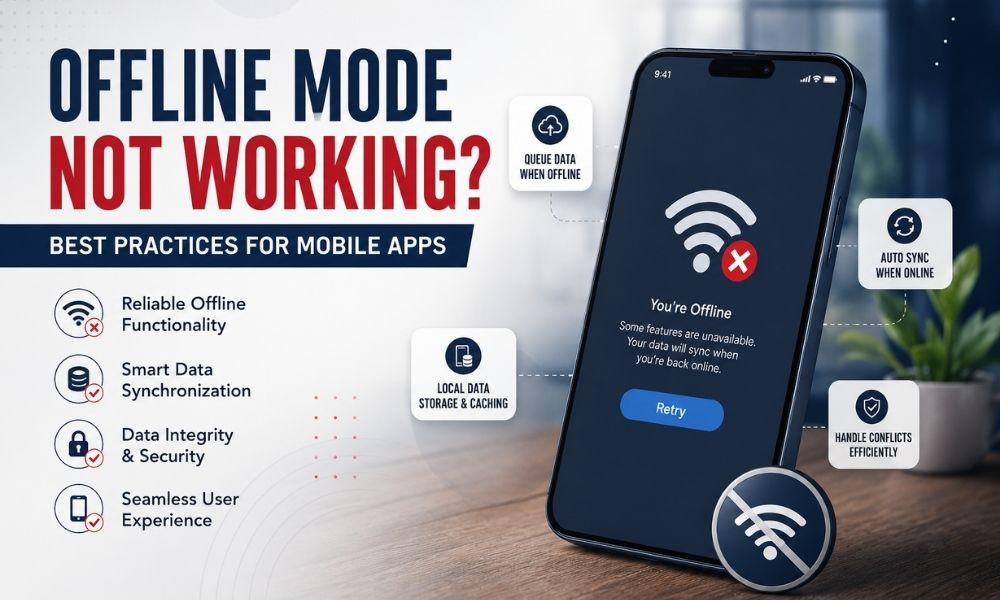
Mobile users expect apps to work everywhere, on the subway, in elevators, on flights, or in areas with patchy network coverage. When offline mode fails, users don’t blame their connection; they blame the app. A broken offline experience leads to frustrated reviews, higher churn, and lost trust. If you’ve been searching for why your app’s offline mode isn’t working, or how to build one that actually holds up, this guide breaks down the most common causes and the best practices that fix them for good.
Why Offline Mode Fails in Mobile Apps
Before fixing the problem, it helps to understand where things typically go wrong.
1. Poor Data Caching Strategy
Many apps assume a constant connection and only fetch data on demand. When the network drops, there’s nothing stored locally to fall back on, so screens go blank or show endless loading spinners.
2. No Sync Conflict Handling
When users make changes offline and reconnect later, apps often don’t know how to merge that data with the server version. This causes overwritten records, duplicate entries, or silent data loss.
3. Ignoring Network State Changes
Apps that don’t actively listen for connectivity changes can’t react in real time. Users end up stuck on error screens even after their connection is restored.
4. Overreliance on Real-Time APIs
If every action in your app triggers an API call, offline functionality becomes almost impossible without a proper local-first architecture.
5. Inadequate Testing
Offline scenarios are frequently under-tested. Developers test on strong Wi-Fi during development and rarely simulate flaky or zero connectivity, so issues surface only after launch.
Best Practices to Fix and Prevent Offline Mode Issues
1. Adopt a Local-First Architecture
Instead of treating the local database as a temporary cache, treat it as the primary source of truth. The app reads and writes to local storage first, then syncs with the server in the background. This approach, used by tools like Realm, WatermelonDB, and SQLite with sync layers, ensures the app remains fully functional regardless of connectivity.
2. Implement Smart Data Caching
Cache essential data, such as user profiles, recent activity, and frequently accessed content, so the app has something meaningful to show even without a live connection. Use expiration policies to keep cached data fresh and avoid serving stale information indefinitely.
3. Build Robust Sync Queues
Queue user actions performed offline (form submissions, likes, edits) and sync them automatically once connectivity returns. Use a retry mechanism with exponential backoff so failed sync attempts don’t overwhelm the server or drain the battery.
4. Handle Conflict Resolution Gracefully
Define clear rules for what happens when local and server data conflict. Common strategies include “last write wins,” timestamp-based merging, or prompting the user to choose. Whatever you choose, be consistent and transparent so users aren’t surprised by lost changes.
5. Monitor Network State in Real Time
Use platform-native connectivity listeners (like NetInfo in React Native or ConnectivityManager in Android) to detect network changes instantly. This allows the app to switch seamlessly between online and offline modes without requiring a manual refresh.
6. Design for Offline-First UX
Don’t just handle offline mode functionally, communicate it visually. Show clear indicators when the app is offline, when data is syncing, and when an action is queued. Users are far more forgiving of connectivity issues when the app is transparent about its state.
7. Optimize for Low-Bandwidth Recovery
When connectivity returns, avoid syncing everything at once. Prioritize critical data first, then sync less time-sensitive content in the background. This keeps the app responsive instead of freezing during a large sync operation.
8. Test Under Real-World Conditions
Simulate airplane mode, intermittent connections, and slow 2G/3G speeds throughout development, not just before release. Tools like Android’s Network Link Conditioner or Charles Proxy help replicate real-world network inconsistency so issues are caught early.
9. Keep Offline Storage Lightweight
Avoid bloating local storage with unnecessary data. Regularly clean up outdated cache entries and give users control over storage usage, especially for media-heavy apps.
10. Provide Manual Sync Options
Sometimes automatic sync isn’t enough. Adding a manual “sync now” or “retry” button gives users control and confidence, especially in apps handling critical data like finance, healthcare, or field operations.
Final Thoughts
Offline functionality isn’t a nice-to-have feature anymore, it’s a core expectation for modern mobile apps. Users judge reliability not by how an app performs on strong Wi-Fi, but by how gracefully it handles the moments when connectivity fails. By adopting a local-first architecture, building smart sync mechanisms, and testing rigorously under real-world conditions, you can turn offline mode from a weak point into a genuine competitive advantage.
If your app is struggling with offline reliability, sync errors, or inconsistent user experiences across network conditions, it may be time to bring in experienced mobile development professionals who understand these architectural challenges deeply.
Techffodils specializes in building robust, offline-first mobile applications that keep users engaged and productive, no matter their connectivity. From smart caching strategies to seamless sync architecture, Techffodils helps businesses deliver mobile experiences that never let a lost connection become a lost customer.